 The original gamification solution for Geotab
Driver Challenge
Safer, smoother, cheaper driving, because your drivers want to win. Built on the rules you already have in Geotab, scored your way, and shown where drivers and managers already look.
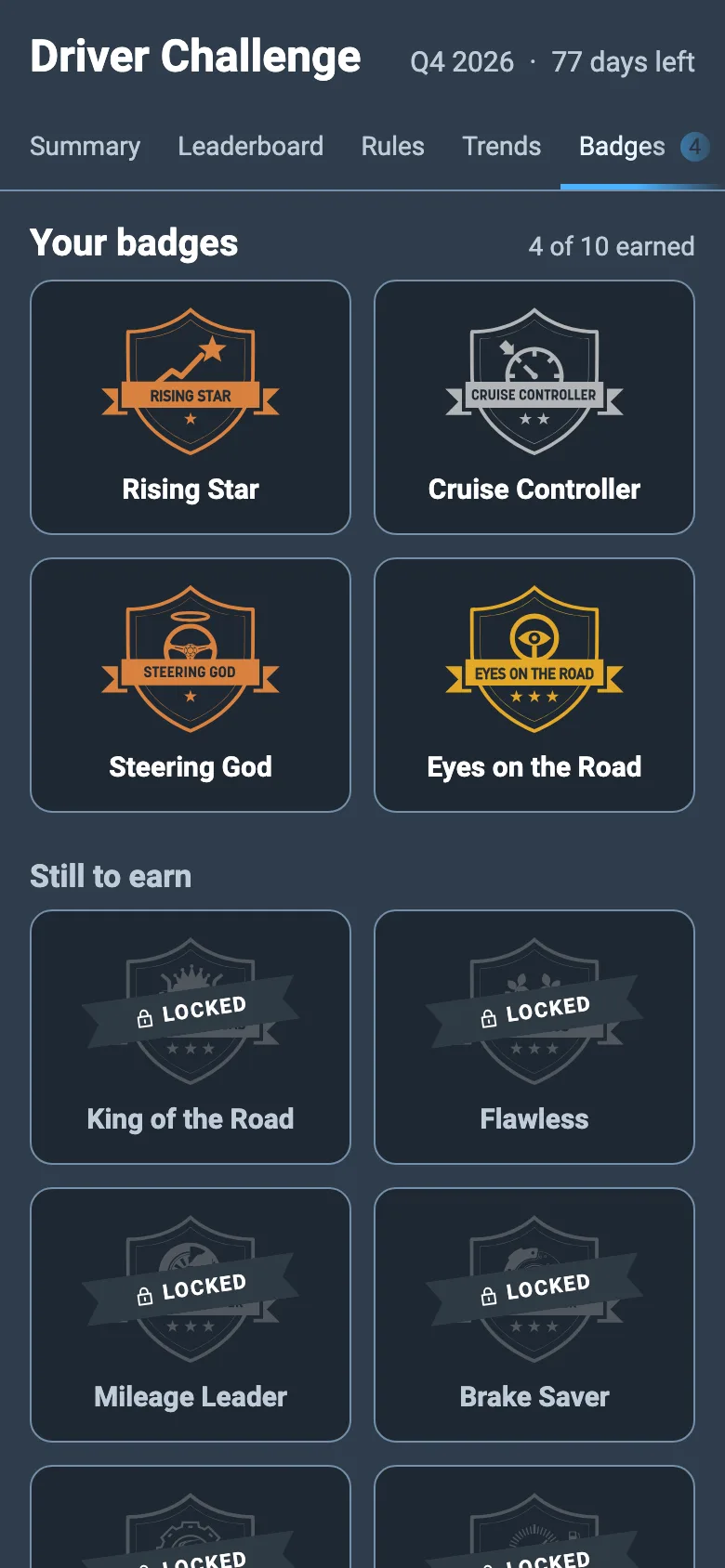
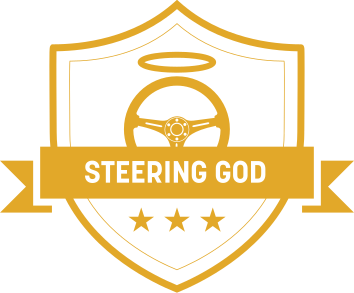
How scoring works
Fair scores, from data you already trust.
Driver Challenge reads trips and rule events from your Geotab database, scores every driver on every rule you pick, and combines them into one score out of 100. Fleets typically measure 15% fewer rule events in the weeks after they deploy it.
Weighted rules
Give more weight to what matters most. A zero on a rule worth 10% still leaves room for a 90.
Rates, not raw counts
Events are counted per distance driven, so long-haul and local drivers compete on equal terms.
Count or duration
Score a rule on its events or on the minutes spent in them. One hour of idling should cost more than four short stops.
Quarterly seasons
Every quarter is a fresh start with new medals, plus 2- and 7-day windows so this week counts too.
A minimum distance
Drivers are only ranked once they have driven enough, so a quiet week cannot top the leaderboard.
Teams
Using groups in Geotab? Switch to team view and let branches, depots or business units compete.
For drivers
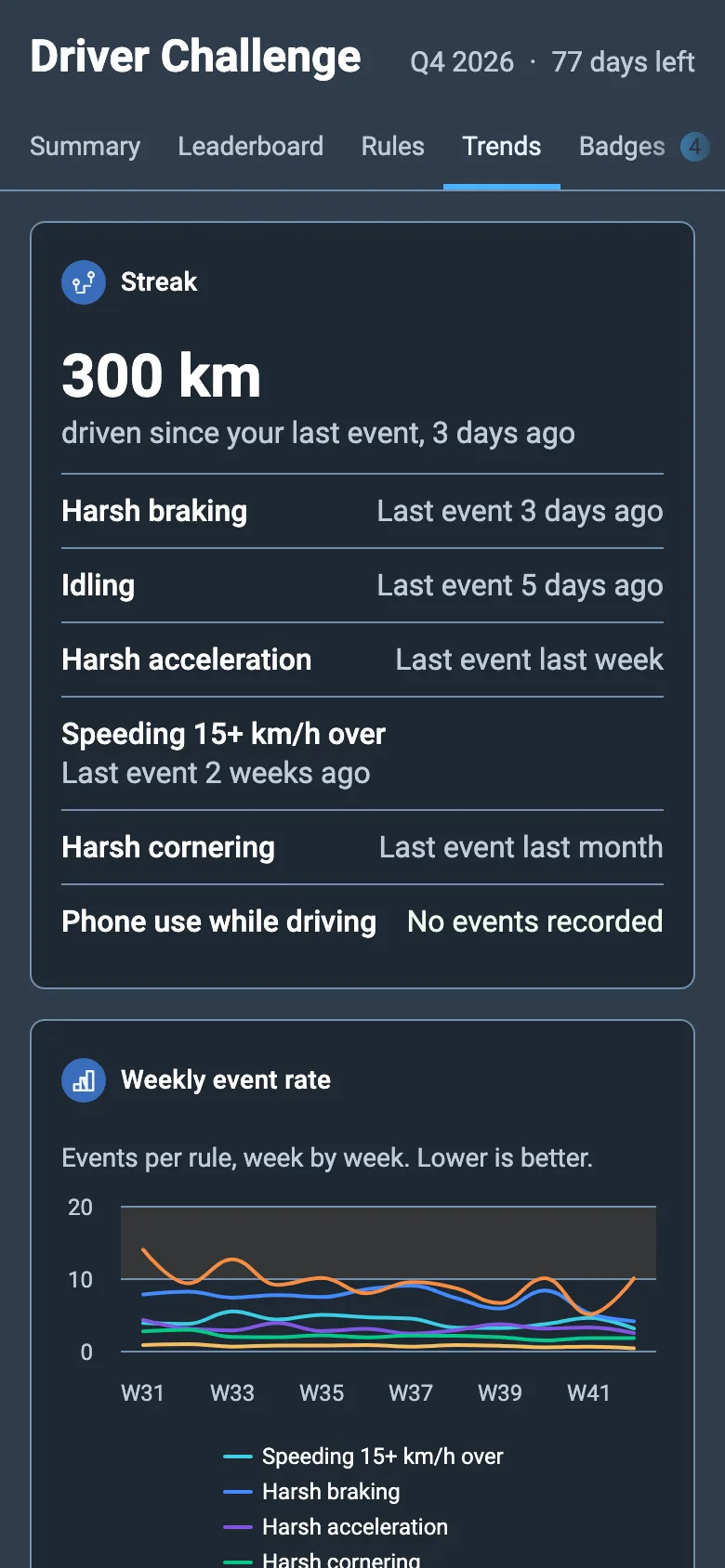
Feedback that feels like a game.
- Where they stand, every time they open Geotab Drive.
- What to work on, rule by rule, with streaks and weekly trends.
- Something to aim for: the next rank, the next badge, the next season.
For managers
Coach the few who need it.
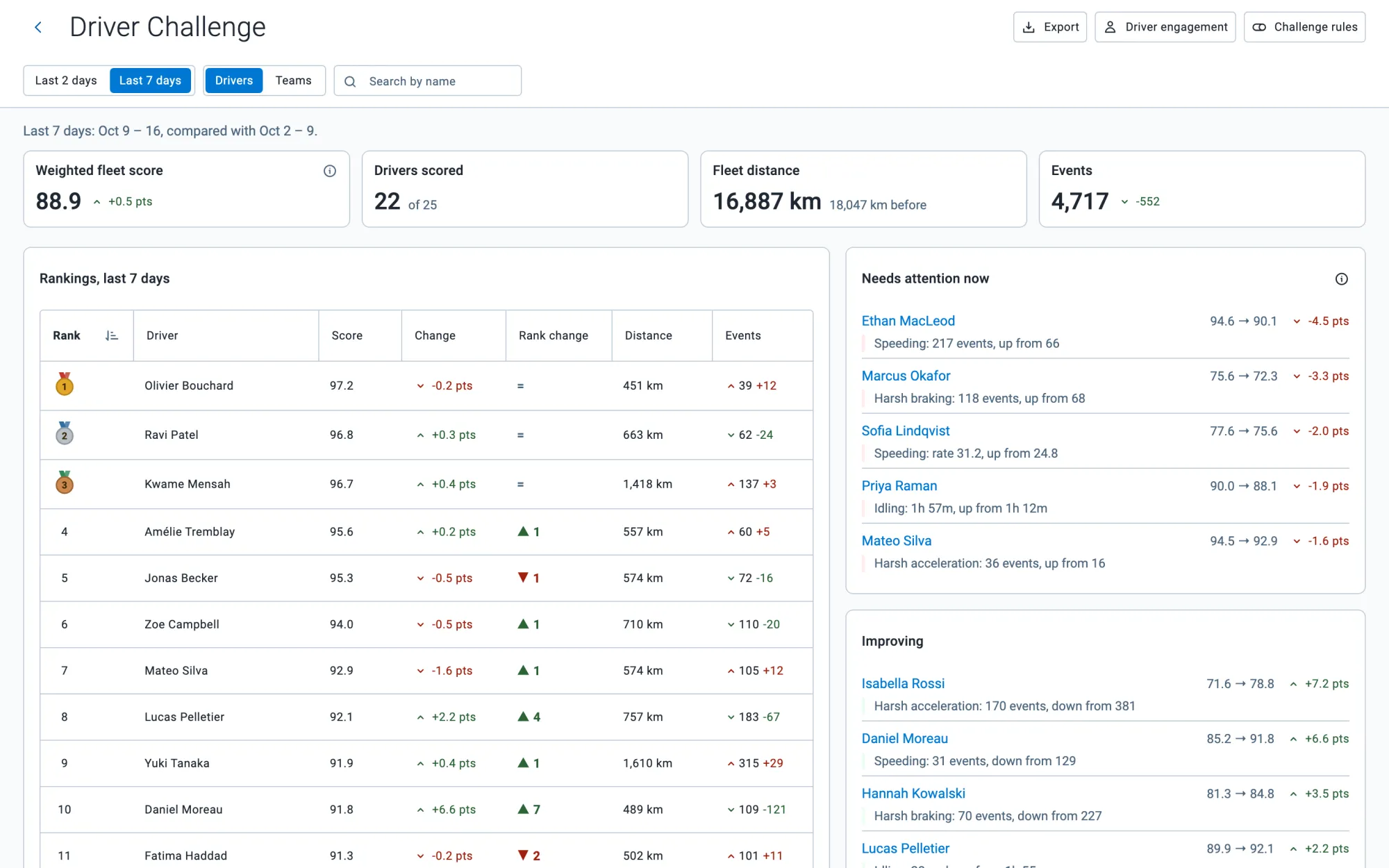
- Needs attention now: who slipped this week, and on which rule.
- Improving: who to congratulate before anyone else does.
- Fleet trends: events by rule, idling cost and fuel, quarter after quarter.
- Engagement: which drivers actually look at their scores.
Scorecards and fleet insights
Every driver, every rule, every quarter.
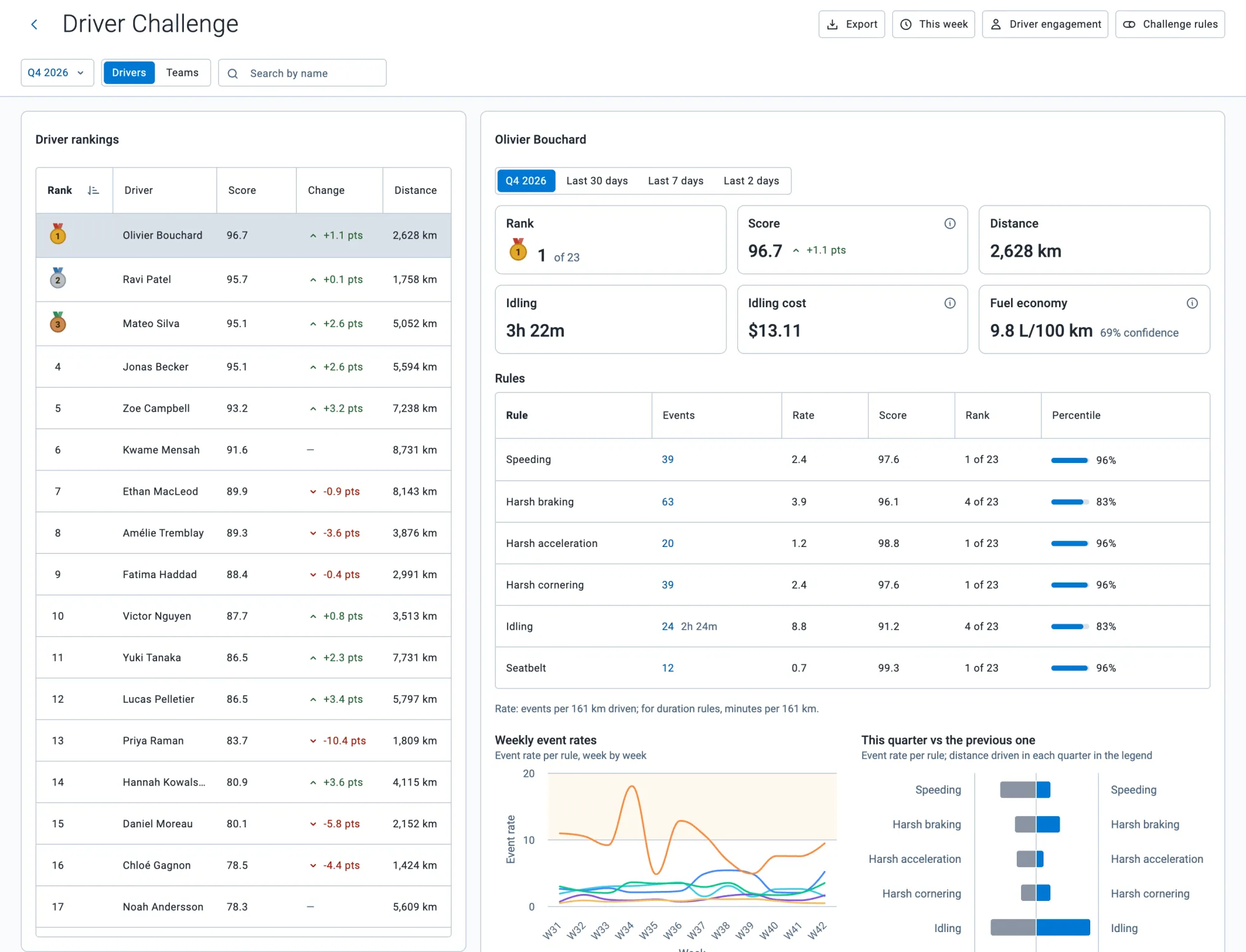
Open any driver for a full scorecard, or step back to see where the whole fleet is gaining and slipping.
- Driver scorecards. Rank, score, distance, idling time and cost, and fuel economy where your vehicles report it.
- Rule by rule. Events, rate, score, rank and percentile for each rule you score.
- The quarter or the last 30, 7 or 2 days. Plus weekly event rates and a score over 12 months.
- Fleet highlights. The top 10 improvements and deteriorations, the best 10 on each rule, and how events split across rules.
Settings that fit your fleet
Tuned to how you drive.
Scoring difficulty
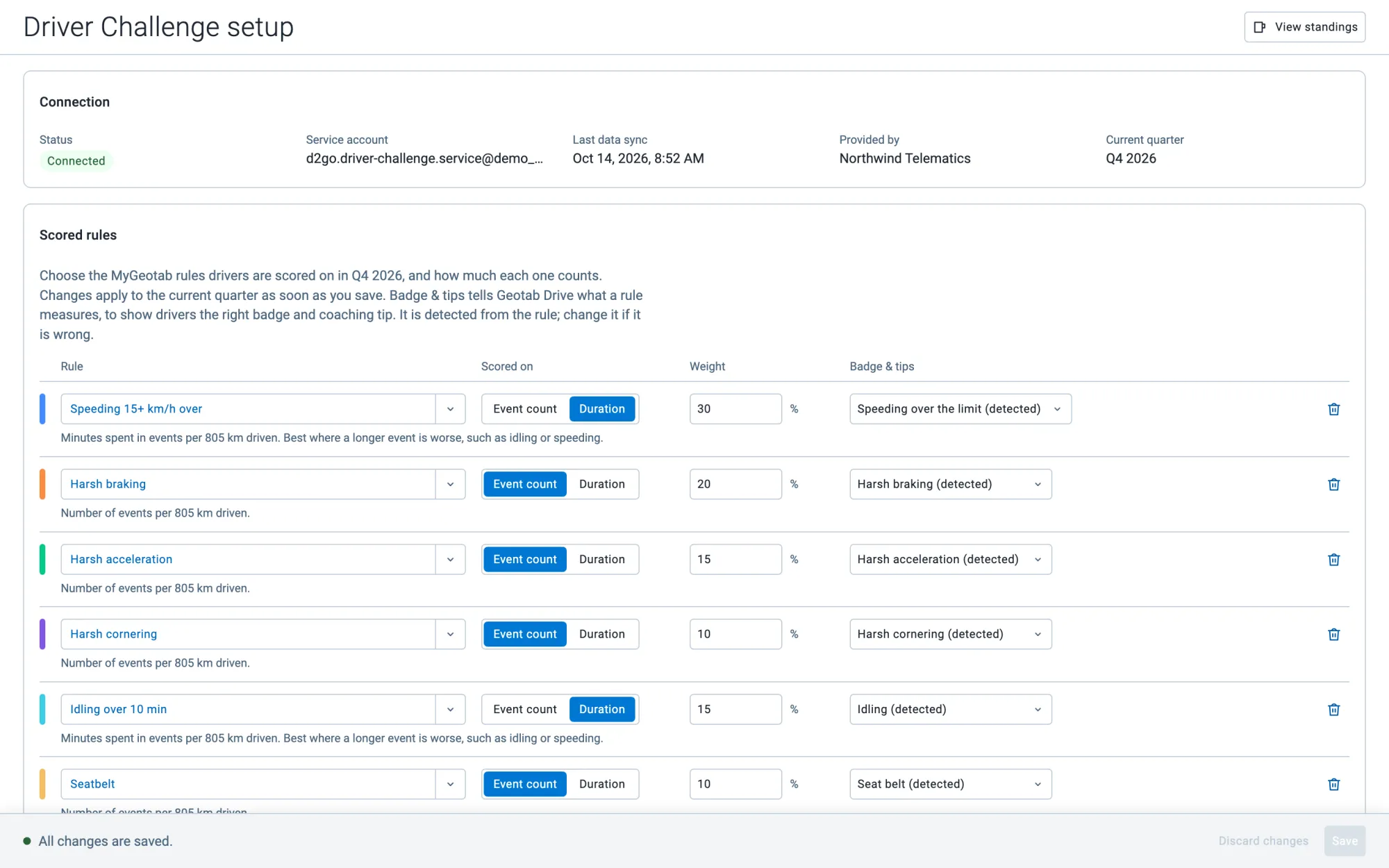
Relaxed, standard or harsh, or set the distance events are counted per, rule by rule.
Anonymous leaderboards
Drivers can see only their own name and rank, with everyone else shown without a name.
Fuel and idling
Set your fuel price to see what idling costs, and get fuel economy wherever your vehicles report fuel used.
Your groups, your scope
Rankings follow MyGeotab's group filter, so every region, branch or manager sees their own drivers.
Five quarters of history
Look back at the current quarter and the four before it, with trends over 12 months.
Reports to share
Export the fleet's standings as a spreadsheet, emailed to you when large fleets take a minute to build.
Privacy by design
Scores, not surveillance.
Driver Challenge never collects where your drivers go. It only needs distances, times and rule events to score fairly, and it reads them with a view-only account.
- No location data. No GPS positions, no routes, no addresses.
- Hosted in Canada. On Google Cloud in Montréal, protected by a web application firewall and TLS.
- Read-only by design. A view-only service account that cannot change your vehicles, rules or trips.
- Read our policies. Privacy policy and security policy.
Getting started
Three steps, no passwords to share.
Add it to MyGeotab
Order Driver Challenge from the Geotab Marketplace, or ask your Geotab reseller to add it to your database. Every new database starts with a 30-day free trial.
Open Challenge rules
An administrator opens the Challenge rules page once. Driver Challenge creates its own view-only service account and connects itself; nobody types a password.
Pick rules and weights
Choose the Geotab rules to score and how much each one counts, then save. Scores appear once the first sync is done, and you can change the rules at any time.
Best practices
Rules that make a good game.
- Four to eight rules. Enough to be fair, few enough for drivers to remember what counts.
- Duration where length matters. Score idling or speeding on minutes when a long event is worse than a short one.
- Rules every vehicle can trigger. Skip a seatbelt rule if only part of the fleet reports seatbelts.
- Freshen up each quarter. Shift the weights or the rules at a new season to keep it interesting.
FAQ
Questions, answered.
How does it work?
Driver Challenge reads trips and rule events from your Geotab database and scores each driver on each rule you configured. Those combine into a global score and a ranking. Badges and medals go to top performers. Drivers see it all in Geotab Drive, managers in MyGeotab.
What does it cost?
Every new database gets a 30-day free trial. After that, Driver Challenge is billed through the Geotab Marketplace, or through your Geotab reseller if they added it for you. Contact us for pricing.
What data does it read?
Users, groups, rules, trips and rule exception events, plus fuel used where your vehicles report it, for fuel economy. Never GPS positions. It reads them through a view-only service account it creates in your database during setup, so it cannot change your vehicles, rules or trips.
Where is our data hosted?
In Canada, on Google Cloud in Montréal. Nothing is stored in the United States. See our privacy policy and security policy.
Can drivers see each other's names?
That is your call. With the anonymous leaderboard on, drivers see their own name and rank and everyone else without a name. Managers always see names in MyGeotab.
Is Geotab Drive required?
No. Managers see every driver's scores in MyGeotab as long as drivers are assigned to their vehicles, whether through Geotab Drive, NFC or manually. Without Geotab Drive, drivers do not see their own scores and badges, so the game loses some of its pull.
What does a rule's weight do?
It sets how much that rule counts in the global score. With four rules at 25% each, a zero on any one of them caps the score at 75. Put Engine abuse at 10% and the other three at 30%, and a zero on Engine abuse still allows a 90.
Event count or duration?
By default a rule is scored on its number of events per distance driven. Scored on duration, it counts the minutes spent in those events instead, so two one-hour idles cost more than four fifteen-minute ones. Duration suits idling and speeding.
Is it fair to drivers who drive less, or more?
Scores are rates per distance, not raw counts, and a driver is only ranked after driving a minimum distance you choose, so a short week neither punishes nor flatters anyone.
What is team view?
If you use groups in Geotab, team view ranks the groups directly under your current scope instead of individual drivers, so branches, depots or business units can compete with each other.
Which languages does it speak?
English, French, Spanish, Brazilian Portuguese, Italian and Swedish, following each user's MyGeotab language.

Ready to start the challenge?
Free for 30 days. Set up in minutes, with no hardware and no passwords to share.